MenúControl
Your business, under control
Track the true cost of every dish, dine-in, takeout, and delivery orders, FIFO inventory, and cash in multiple currencies. Works offline on Windows and Android, with optional local networking.
// Overview
## Know what each dish costs and how much you really earn

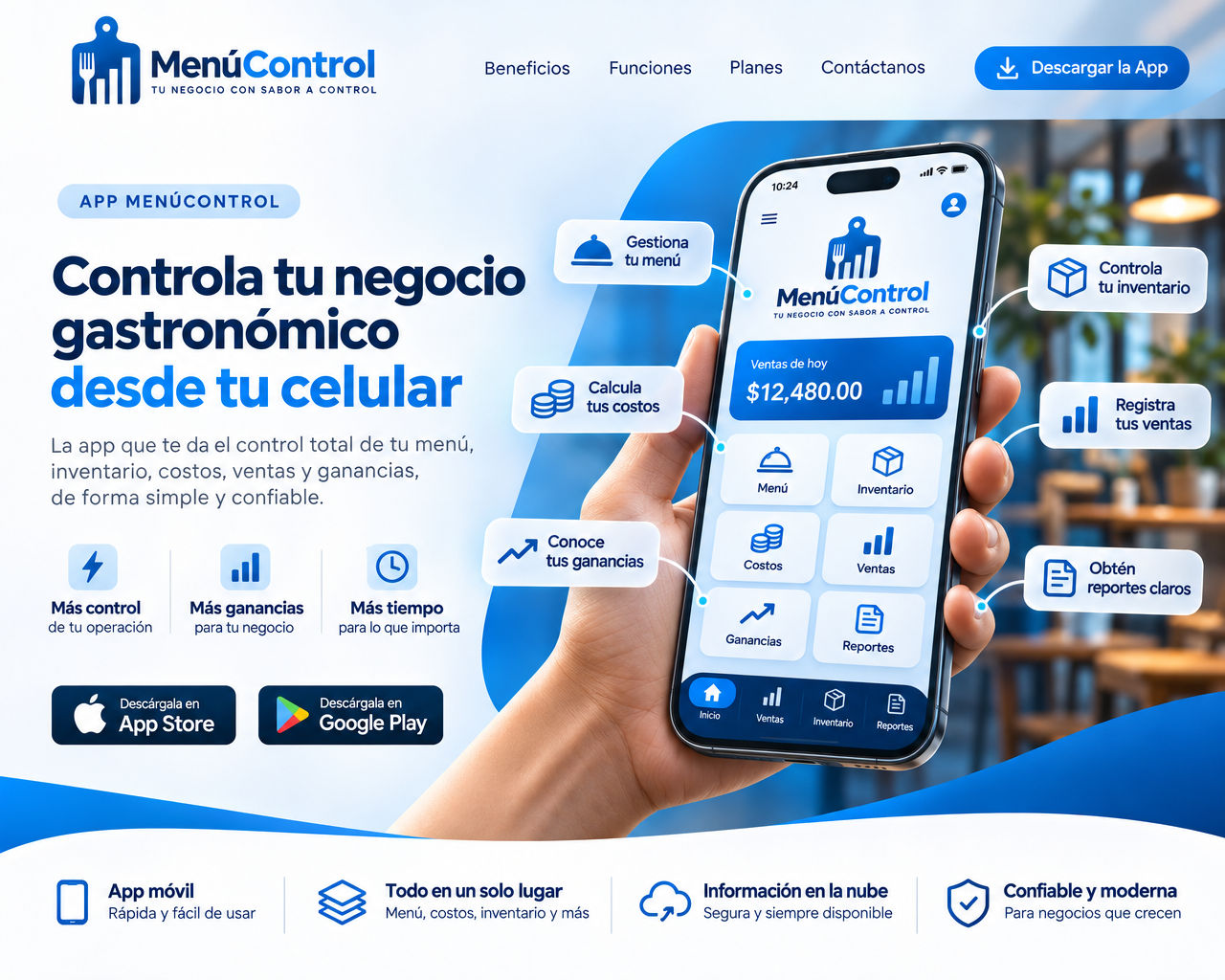
MenúControl is IMERBET’s app for cafés, restaurants, and fast-food businesses.
Manage cost sheets, orders, inventory, and cash in one place, **without relying on the internet**.

### Who it’s for

Any food business with tables: from a solo entrepreneur using one Android phone
to a venue with a PC and several staff connected over Wi-Fi.

### Problems it solves

- Not knowing a dish’s true cost when purchase prices change every week.
- Paper orders that get lost or don’t add up at checkout.
- Taking payments in multiple currencies with two or three exchange rates in one day.
- Stock leaving the storeroom with no one knowing where it went.

### How it works

1. **Enter your purchases.** Each delivery creates a batch with its cost; you can also import everything from Excel.
2. **Build your menu.** Each dish has a cost sheet: ingredients with usable portions and yield, plus
   indirect costs (gas, electricity, wages). The app suggests a price.
3. **Serve customers.** Open a dine-in, takeout, or delivery order, add items in rounds, and send them to the kitchen. Inventory
   is deducted immediately, and if an ingredient is unavailable, the dish is marked “Sold Out.”
4. **Take payment.** Split payments by cash or transfer, in the customer’s preferred currency, using the current rate, with change in
   the currency of your choice.
5. **Close out the register** by counting bills. Print the closing report and save an encrypted backup.
6. **Review reports:** sales, cost of goods sold, actual expenses, and results; see which dishes are profitable
   and which need attention.

### Benefits

- **Accurate costs:** FIFO tracks batches and each sale records its cost; voiding a sale returns
  the product to the same batch.
- **Staff controls:** roles (Admin, Owner, Finance, Staff), PIN required to void orders, complimentary items need
  owner approval, and the owner can review discounts.
- **No downtime:** if the server PC shuts down, phones keep selling and sync when it’s back online.
- **Your data stays yours:** everything is stored on your devices, encrypted, with automatic backups.
// Highlights
Key features
Works offline on Windows and Android
01Dish cost sheets with yield and indirect costs
02Suggested prices based on your target cost percentage
03Dine-in, takeout, and delivery orders, with kitchen rounds
04FIFO or Average Cost inventory, batches, expiry dates, and stock ledger
05Multiple currencies and daily exchange rates, with split payments
06Register by point of sale, with opening and cash-count closing
07Optional local network: one server PC and staff phones
08Print kitchen tickets and receipts on 58 or 80 mm thermal printers
09PDF and Excel reports on results, dishes, losses, and staff
10Customer accounts and credit sales with owner approval
11Encrypted database and automatic backup when closing the register
12
Technical details
- Platform
- Windows and Android
- Requirements
- 64-bit Windows 10 or 11 · Android [minimum version: confirm]
- Connection
- Works offline. Optional local network (Wi-Fi)
- App language
- Spanish
- Currencies
- Multiple (add more as needed), multiple daily rates
- Printers
- 58 or 80 mm thermal printers via network, USB (Windows), or Bluetooth (Android)
- Export
- PDF and Excel; initial import from Excel
- Security
- Encrypted database, user PINs, hash-chain audit log
- License
- Per business, offline; phones use the PC’s license
Frequently asked questions
01 Do I need internet?
No. Everything runs on your devices. A local Wi-Fi network is optional and only needed when multiple devices work together.
02 Is there a free trial?
Yes: 5 days with everything up and running, starting with the initial setup.
03 Can I use it with just one phone?
Yes. Most businesses use a single Android or Windows device.
04 What happens if the server PC shuts down?
Phones can keep selling using their own copy and processing their own transactions. When the PC is back online, everything syncs.
05 Can I import my products from Excel?
Yes. Download the template, fill it in, then preview what will be created or updated and which rows contain errors before importing.
06 What happens when my license expires?
You’ll get a notice 7 days beforehand and have a 3-day grace period. After that, sales are blocked, but you can still access your data, view reports, and make backups.
07 How do I activate it?
Copy the device code, send it to IMERBET with your business name and plan, then enter the license we send back.
08 Changing PCs?
Make a backup, install it on the new PC, activate its license, then restore the backup.
Plans & pricing
Choose a starting point. Every plan can be adapted to your needs.
Monthly
RecommendedAll features, paid month to month
CUP 5,000per month
- All MenúControl features
- License per business (main PC and its phones)
Annual
All features, paid once a year.
CUP 50,000per year
- All MenúControl features
- License per business (main PC and its phones)

Your next project starts here
Got a project that should work better?
Tell us what you need. We reply within one business day with clear next steps.
- 1We reply within one business day.
- 2A short call to understand your needs.
- 3You get a clear proposal: scope, timeline and price.
Or write to us directly: hello@imerbet.com